1. What is Stripe?
Stripe is a leading global payment processing platform that provides businesses and individuals with a complete solution for accepting and managing online payments. You can integrate your Stripe account into your e-commerce websites, enabling you to securely process credit cards, digital wallets, and various payment methods from customers worldwide. Once you’ve set up Stripe integration, you can start accepting real-time payments on your website so that customers can complete transactions seamlessly. This guide will walk you through the steps to implement Stripe payments on your website.2. Before You Start
This guide will walk you through connecting Stripe to your Readdy project. Before we begin, please make sure you have the following ready:- An active Stripe account ready for payments.
- Your Readdy project is already connected to Supabase (Stripe integration requires Supabase How to connect Supabase).
3. Access the Stripe Integration
In the Readdy’s editor interface, click Integration in the top-right navigation bar. From the dropdown, select Stripe.
API connection is a one-time setup - you won’t need to enter the API again for future use of this feature.

4. Get Stripe API
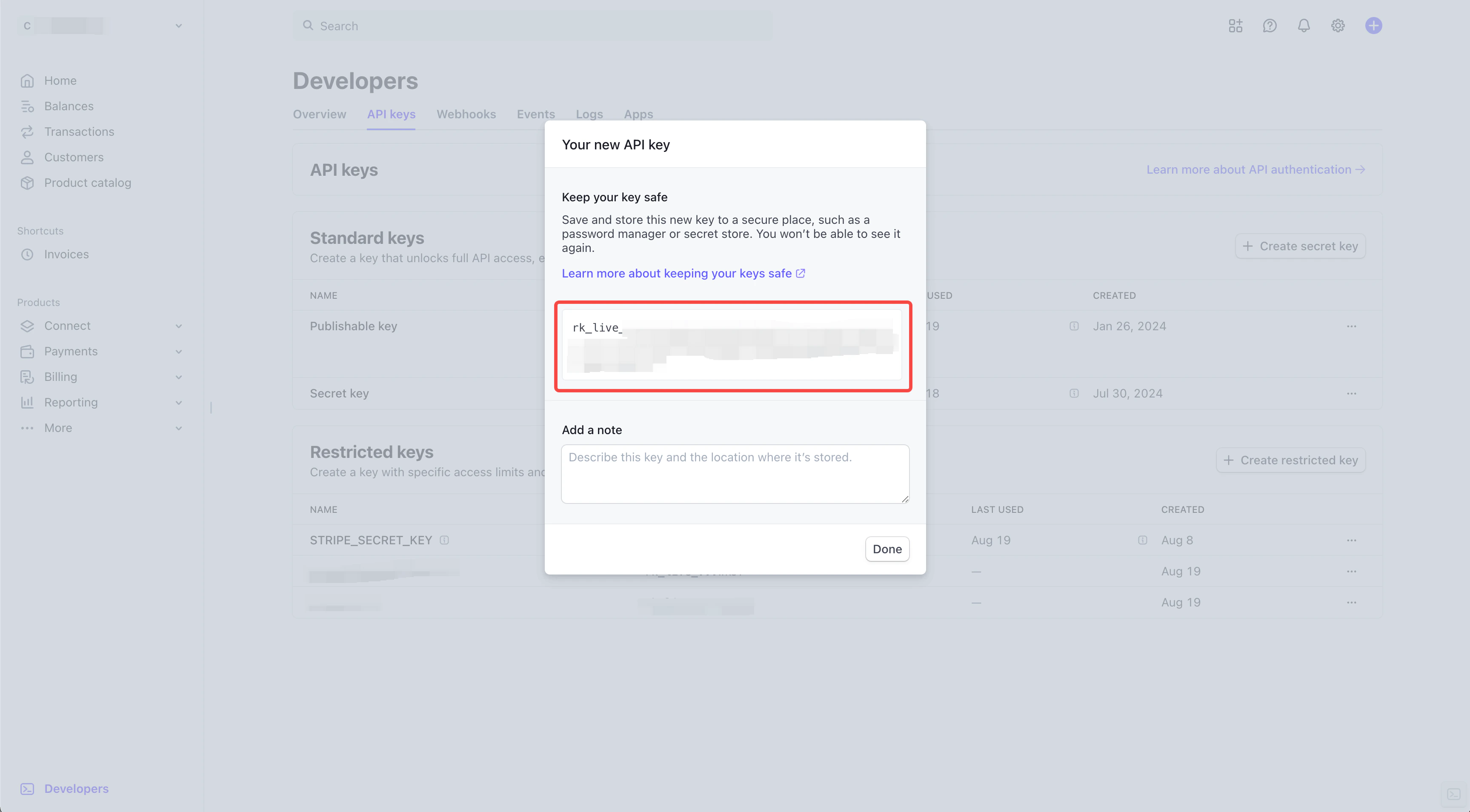
Go to https://www.stripe.com/ and log in. Then, in the left menu, click Developers and select API keys.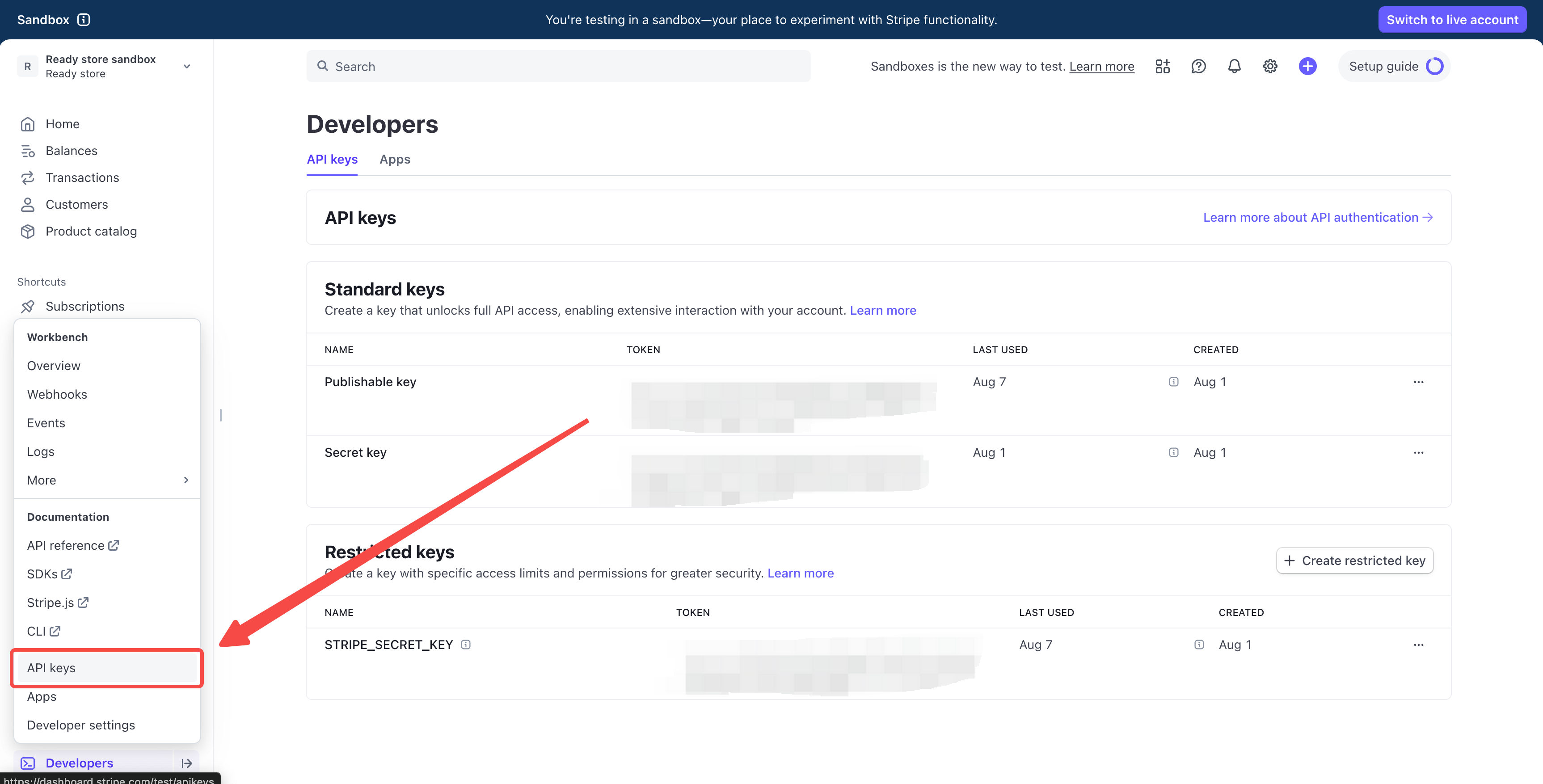
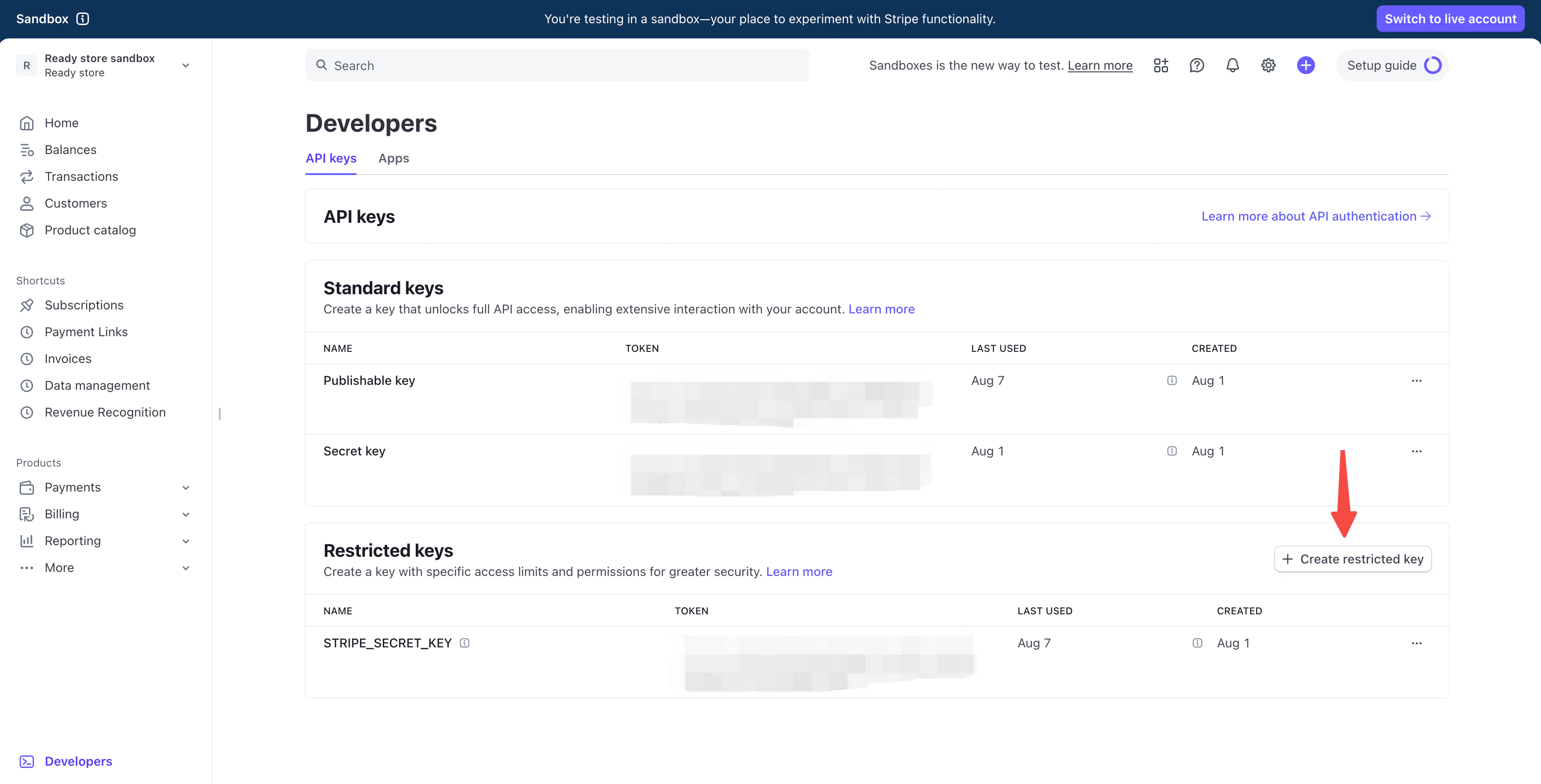
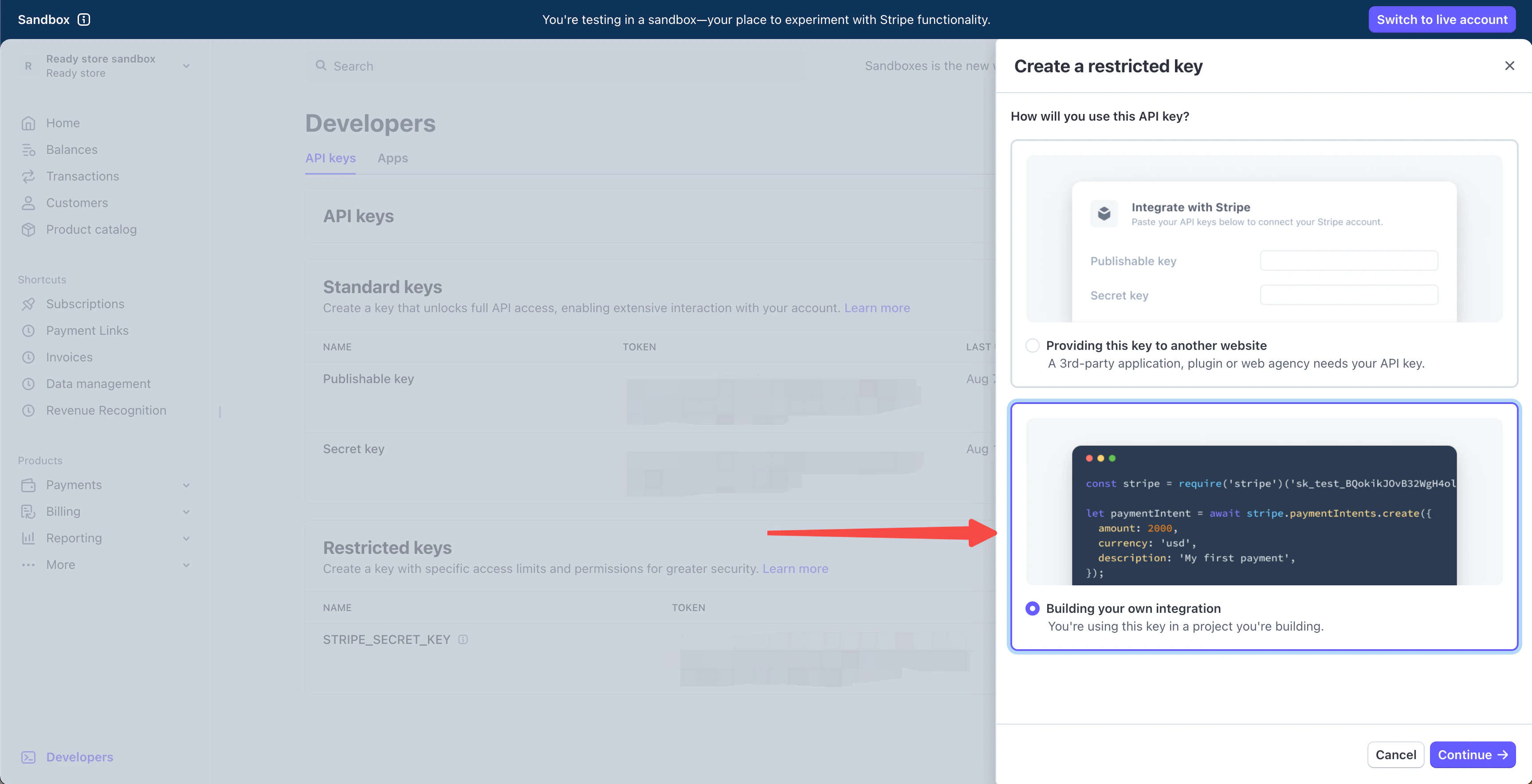
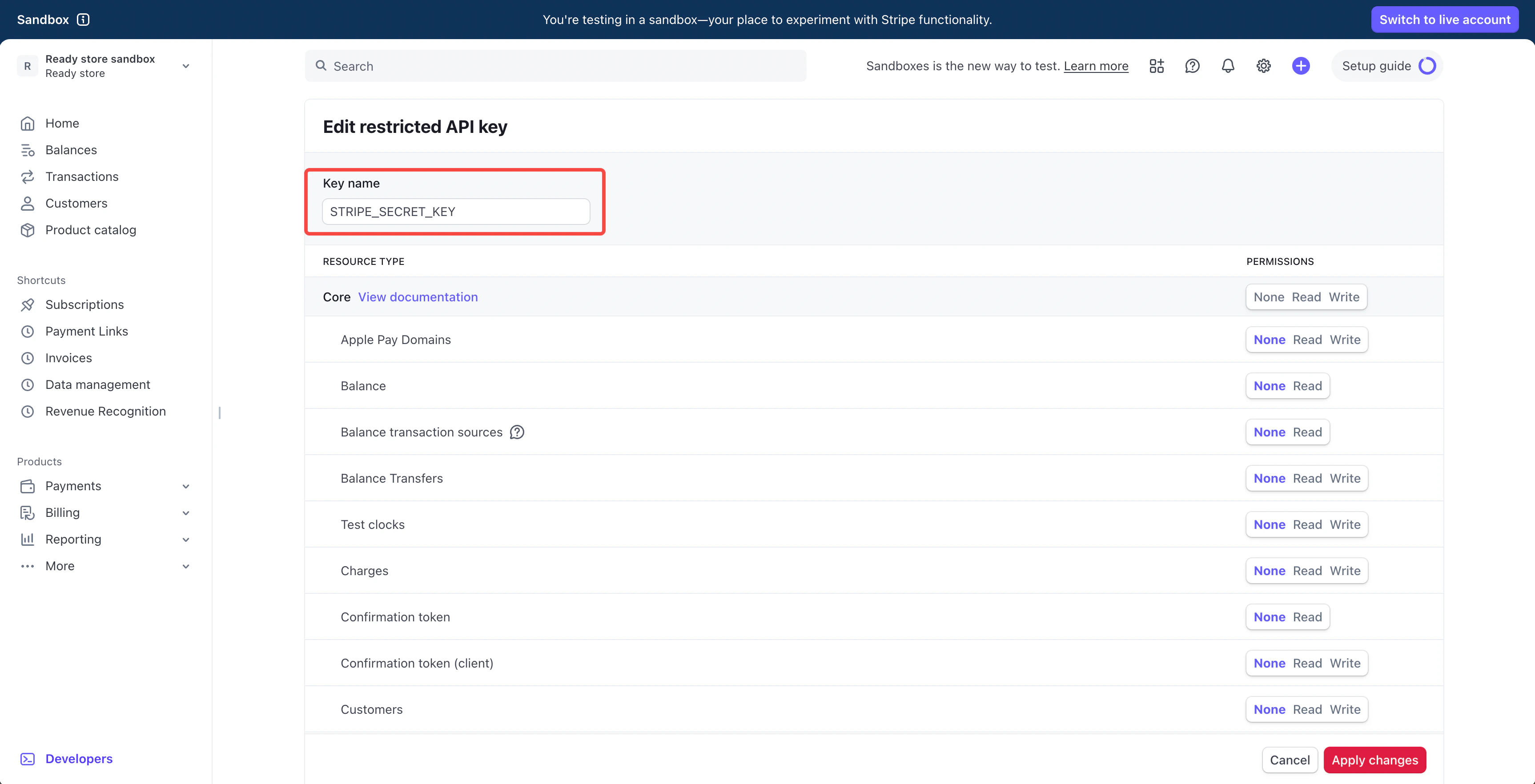
case-sensitive, use underscores, no spaces

5. Connect Your Stripe
In the Stripe panel, paste your API key and click Connect.
- Example: Select a product and tell the AI: “Use Stripe to process payment when this product is purchased.”
- Tip: For best results, use only Stripe or Shopify per page—mixing them may reduce AI code generation quality.